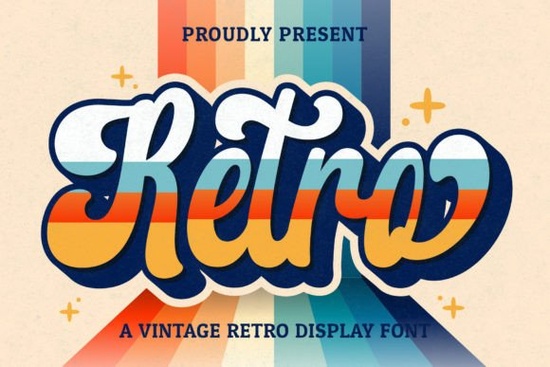
When you need a typeface that instantly brings to mind the charm of past decades, the Retro Script Font is a solid choice for your toolkit. This vintage-style handwritten font offers a cool aesthetic that works well for adding a special touch to various design ideas. Whether you are creating logos, branding materials, or wedding invitations, having a reliable script in your library saves time and adds character. It is particularly useful for crafters and small business owners who want their work to stand out without looking overly modern or sterile.
What makes this font fit vintage designs?
The appeal of this typeface lies in its handwritten quality. Unlike rigid geometric fonts, this script mimics the flow of a pen on paper. This organic feel helps designs feel more personal and approachable. For print-on-demand sellers, this means t-shirts and mugs feel less like mass-produced items and more like custom creations. The vintage style pairs well with distressed textures, old paper backgrounds, and muted color palettes. If you are working on a project that requires a nostalgic vibe, this font provides the foundational style you need.
Sometimes, you might want to mix styles to create contrast. While this script handles the elegant or casual parts of your design, you might need something bolder for headlines. In those cases, looking at this display option could provide the weight needed to balance the lighter script. Combining a flowing script with a strong display font creates a hierarchy that guides the viewer's eye effectively.
How do you access the extra glyphs and swashes?
One technical feature that makes this font versatile is that it is PUA encoded. PUA stands for Private Use Area, which allows you to access all glyphs and swashes easily through your character map or font software. Without this encoding, you might struggle to find alternate letters or decorative flourishes. For designers, this means you can customize ligatures and endings to ensure no two words look exactly the same. This level of customization is crucial for logos where uniqueness is a priority.
Understanding how to use these extras can improve your workflow. You do not need expensive plugins to access these characters; most standard design software supports PUA encoded fonts. If you are new to using swashes, start by replacing standard letter endings with the alternate versions provided. This simple switch can turn a standard word into a custom logotype. For more inspiration on how different fonts handle characters, you might explore professional branding typefaces to see how versatility is handled in other styles.
Which projects benefit from this handwritten style?
The use cases for this font are broad. It is suitable for stationery, social media posts, and much more. Wedding designers often seek this look for invitations because it feels romantic and timeless. Small businesses can use it for packaging labels to convey a handmade quality. If you are creating content for social media, this font helps quotes and announcements feel more engaging than standard system fonts.
Seasonal projects also benefit from specific typography choices. For summer-themed designs, you might consider pairing this script with something breezy like the Laguna Tropic style. Conversely, if you are preparing for holiday sales in December, a font like Grinched 20 offers a thematic alternative for festive graphics. Having a range of options allows you to match the typography to the mood of the season.
For those working in niches that require high energy, such as team merch or athletic branding, a script might need a strong partner. A varsity-style font can provide the structural contrast needed for sports logos while the script adds a signature element. This combination works well for college-style designs or community team apparel.
Where can you learn more about typography pairing?
Choosing the right font is only half the battle; knowing how to pair it is equally important. Good typography creates harmony between different elements on a page. If you want to deepen your understanding of how fonts interact, you can read more about font pairing principles on educational design sites. This knowledge helps you avoid cluttered designs and ensures your message remains clear.
Remember that readability is key. Even the coolest vintage font fails if people cannot read it. Always test your designs at different sizes. What looks good on a desktop screen might be illegible on a mobile device or a small product tag. Keep your primary information clear and use the decorative swashes for emphasis rather than essential text.
Quick Checklist for Using Script Fonts
- Check Legibility: Ensure the text is readable at small sizes before finalizing.
- Use Swashes Sparingly: Apply alternate glyphs to start or end letters, not every character.
- Pair Carefully: Combine with simple sans-serif or bold display fonts for balance.
- Verify Encoding: Confirm your software supports PUA encoded characters to access all features.
- Test Context: View your design on the actual product or platform where it will be used.
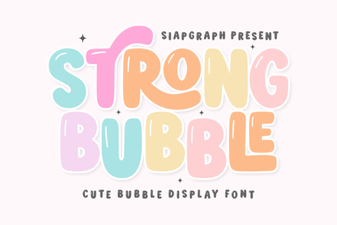 Playful Bubble Font Designs for Creative Projects
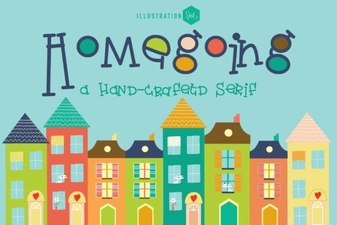 Creative Design with the Homegoing Font
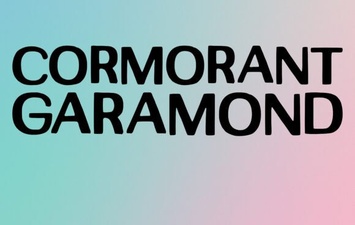 Elevate Projects with Cormorant Garamond
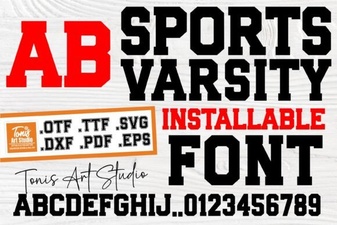 Varsity Lettering for Sports Graphics & Projects
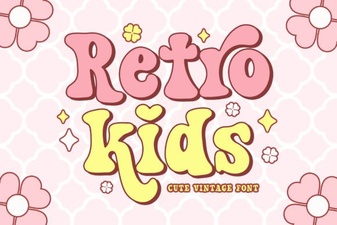 Retro Fonts for Kids: Design and Diy Projects
 Elevate Projects with Expert Designer Fonts